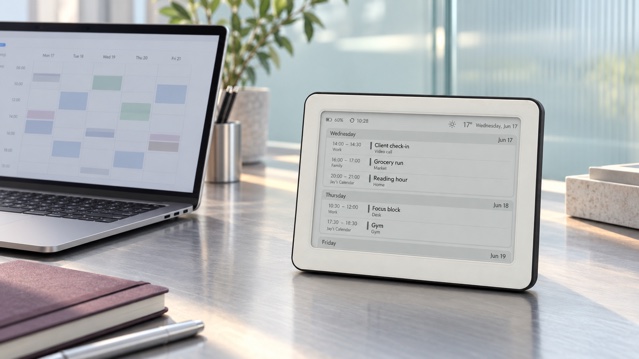
The safest way to show Apple Calendar on an e‑ink display is to publish one dedicated iCloud calendar as a read-only ICS feed, add that link to Brisa, and keep sensitive events in calendars that are never published. The important distinction is simple: read-only prevents editing, but it does not make the link private.
This guide was checked against Apple’s current Calendar and iCloud instructions in October 2026. Interface labels can move, but the privacy model remains the same: a private share is tied to invited Apple Accounts, while a public calendar can be viewed by anyone who has its URL.
First, check which account owns the calendar
The Calendar app on a Mac or iPhone can display iCloud, Google, Exchange and other accounts together. A calendar merely visible inside Apple Calendar is not automatically an iCloud calendar. The steps below apply to a calendar listed under iCloud and owned by you. If it belongs to Google or Microsoft, obtain the ICS link from that provider instead.
Apple allows only the calendar owner to make an iCloud calendar public. If someone shared a calendar with you privately, do not try to republish it. Ask the owner for an appropriate read-only feed, or create a separate household display calendar that you control.
Apple Support: share a calendar on iCloud.com ↗
Use a dedicated display calendar, not your whole life
Before copying any link, create an iCloud calendar specifically for the screen—for example, Home display or Family overview. Move or duplicate only the events that help in passing. A hallway or kitchen display rarely needs meeting links, client names, medical appointments, full addresses or private notes.
- Include ordinary household events, school times, deliveries and shared plans that are useful to everyone who can see the screen.
- Shorten titles when the original wording reveals more than the household needs to know.
- Remove video-call links, access codes and sensitive locations from events copied to the display calendar.
- Keep personal, health, financial and confidential work calendars private.
- Use fictional events while testing or photographing the setup.
This separation is more reliable than trying to remember which individual event contains a private detail. It also makes revocation easier: you can stop publishing the display calendar without disrupting the calendars you use for planning.
Step 1: copy the public iCloud calendar link
On a computer or tablet, open iCloud.com/calendar and sign in. In the sidebar, open Calendar Information next to the dedicated calendar. Turn on Public Calendar, choose Copy, then save. Apple says a public calendar can be viewed without an iCloud account and only the owner can change it.
On a Mac, you can also open Calendar, show the calendar list, hover over the calendar name, choose the Share Calendar button, select Public Calendar and use the share control to copy the link. On iPhone or iPad, open Calendars, tap the information button beside the iCloud calendar, turn on Public Calendar and choose Share Link.
Apple Support: share calendars on Mac ↗
Apple Support: share an iCloud calendar on iPhone ↗
The copied address commonly begins with webcal://. That scheme identifies a calendar subscription. Do not post the URL in a support ticket, public note, analytics field, screenshot or chat. Copy it directly to the device configuration and close any temporary document that contains it.
Step 2: add the ICS link to Brisa
Open the Brisa configuration screen, expand Calendar and paste the copied address into Calendar URL 1 (ICS). Brisa accepts the Apple webcal link and converts it for secure retrieval. You can add up to three compatible ICS feeds in the three calendar URL fields, but one carefully curated feed is often easier to read.
- Paste the full link without spaces or quotation marks.
- Choose a calendar day or week layout that matches how far away the frame will be read.
- Confirm the device time zone, language and 12- or 24-hour time format.
- Save the configuration and allow the next device refresh to request the feed.
Brisa is a read-only display in this workflow. Continue creating and editing events in Apple Calendar; the frame periodically fetches the ICS feed and renders the upcoming schedule. It is not a second calendar editor and it does not provide instant push updates.
Choosing a day view, week view and placement for an e‑ink calendar →
Step 3: test with one harmless event
Create a temporary event such as “Calendar test” in the dedicated display calendar. Give it a clear start time and no location, notes, invitees or attachments. After Apple publishes the change and Brisa refreshes, verify the title, time, date and time zone on the frame.
Then edit the event once and check the next refresh. This confirms that you copied a subscription feed rather than a one-time exported .ics file. A static export will not keep future changes in sync. Finally, delete the test event and confirm that it disappears after the source and device have both refreshed.
What the public link actually permits
A public iCloud calendar feed is read-only for subscribers. It does not reveal your Apple Account password and it does not let a subscriber edit events. However, it is still a bearer link: possession of the URL is enough to view the events published through that calendar.
That is why “public” and “searchable” should not be confused. The address may be difficult to guess, but access is controlled by the link itself, not by an invitation list. Forwarding the URL, leaving it in a shared clipboard or exposing it in a photo widens access.
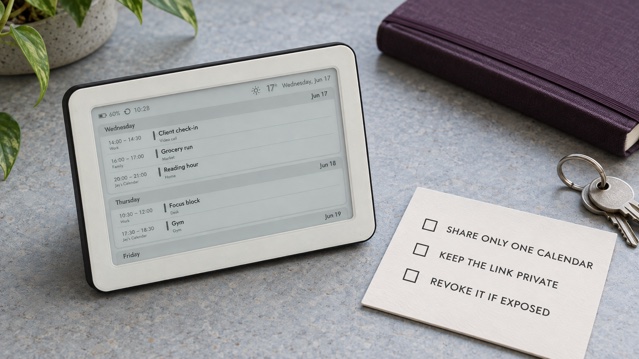
See the Brisa Daylo calendar display on Etsy →
How to revoke or replace the link
If the URL appears in a screenshot, message, public document or wrong device, revoke access rather than merely deleting the message. On iCloud.com, open Calendar Information, turn off Public Calendar and save. Apple documents this as the way to stop sharing a public calendar.
Apple Support: stop sharing a calendar on iCloud.com ↗
If you still need the display, turn public sharing on again and copy the current link. Test that the old address no longer returns a live feed before relying on the replacement. If the service reuses the same URL, create a new dedicated calendar, move only safe events into it, publish the new calendar and replace the saved URL in Brisa.
Troubleshooting an empty or stale screen
- Confirm the source calendar is under iCloud and that you are its owner.
- Open the copied link in a separate calendar app only for testing; it should subscribe to a calendar, not display an iCloud sign-in page.
- Check that the test event falls inside the upcoming range shown by the selected Brisa layout.
- Verify time zone and all-day event settings when an event appears on the wrong date.
- Wait for both Apple’s feed and the configured Brisa refresh interval; the update is periodic, not immediate.
- If the link was rotated, remove the old URL from every Calendar URL field before saving the new one.
Which setup is right for your home?
Use a dedicated iCloud feed when you want a quiet, shared view and are comfortable selecting what appears. Keep using Apple Calendar on your phone or Mac for editing, invitations and details. If the household plans mainly in Google Calendar, follow the Google-specific sharing workflow instead of routing it through Apple Calendar.
How to show a shared Google Calendar on an e‑ink display →
How to put a family calendar on the fridge without another tablet →
E‑ink vs tablet vs smart display for a home dashboard →
See Brisa Daylo and its calendar layouts →
The calm display starts with a narrow feed
The best Apple Calendar e‑ink setup is not the one that exposes the most data. It is the one that answers the next household question without revealing the rest. Publish one purpose-built calendar, protect its URL, test the refresh path and know how to switch the feed off. Then let the e‑paper screen do the quiet job it is good at: keeping the next useful plan visible.
Apple Calendar and ICS: quick answers
Is an iCloud public calendar link private?
No. It is a read-only link, but anyone who receives the URL can subscribe without signing in to your Apple Account. Treat the URL like a secret and publish only a dedicated calendar containing information you are comfortable displaying.
Can someone edit my calendar through the public ICS link?
No. Apple states that subscribers to a public iCloud calendar can view it but cannot change it. Only the owner and people separately granted edit access can modify events.
Can Brisa use the webcal link copied from Apple Calendar?
Yes. Brisa accepts compatible ICS feeds, including Apple webcal links, and can show up to three calendar feeds. Paste the copied URL into a Calendar URL field in the Brisa setup screen.
How do I revoke an exposed Apple Calendar link?
Turn off Public Calendar for that calendar and save. If you still need a feed, enable public sharing again and verify the current URL; if Apple reuses the old address, create a new dedicated calendar, publish that one and replace the URL stored in Brisa.