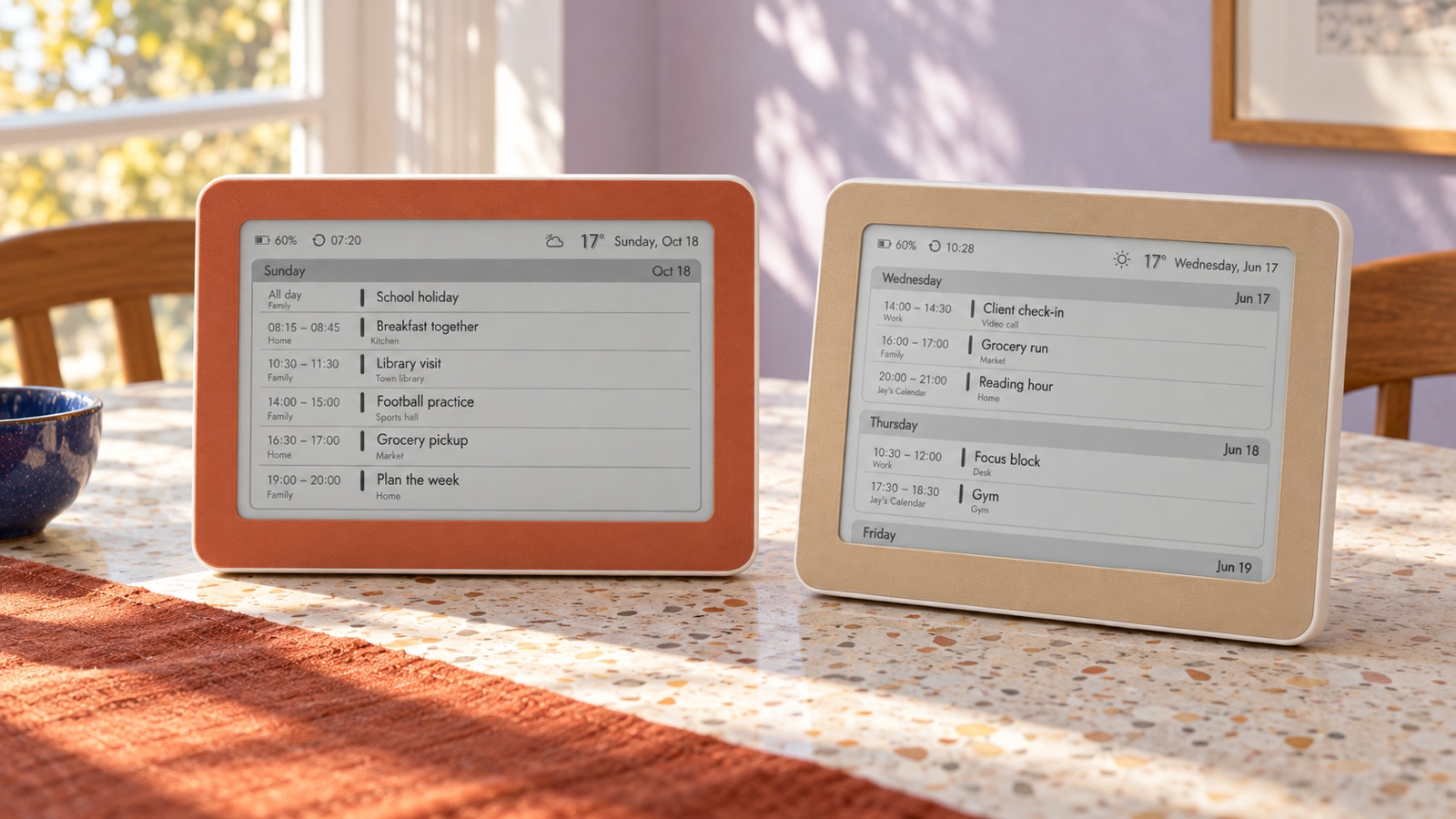
A daily calendar view is usually easiest to read when the household asks “What happens next today?” A weekly view is better when the question is “What do we need to prepare for over the next few days?” The right choice is not the view with the most information. It is the smallest view that answers the question people actually ask, from the distance where they naturally look at the display.
That answer depends on four things: reading distance, number of events, number of people and planning horizon. A quiet two-person home may understand a week at a glance. A family with school, shifts, clubs and pickups may need the larger type and stronger focus of a day view—or a carefully edited weekly view that leaves private and low-value events elsewhere.
Start with the question, not the label
Day and week are interface labels. The more useful starting point is the decision the screen should support. Near the front door, the question may be who leaves first and what must come along. In a kitchen, it may be whether Thursday is free or who collects a child. At a desk, it may be the next appointment and the gap before it.
Google Calendar and Apple Calendar both offer day and week views because each compresses time differently. Day view gives one date the full canvas; week view trades detail for comparison. On a passive home display, where nobody is zooming or opening an event, that trade-off matters even more.
Google Calendar Help: view your day, week or month ↗
Apple Support: move between Day and Week views ↗
Choose day view for sequence and immediate action
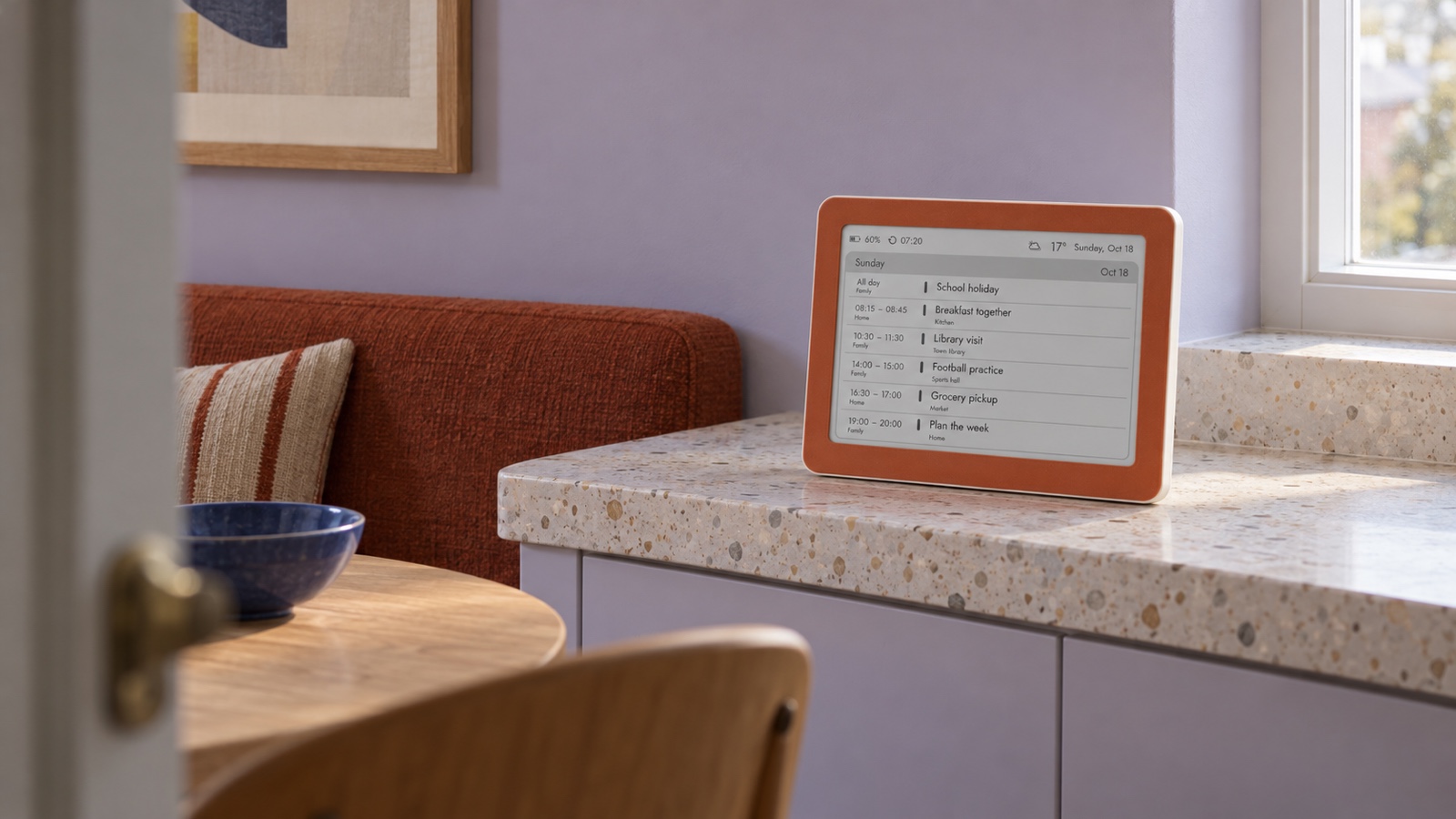
Day view gives event titles, times and optional context more room. It works well when several things happen on one date, when children read the screen, or when the display is seen while walking past. The hierarchy is simple: today, then the next event, then what follows.
- Use it for morning coordination, pickup times, appointments, deliveries and a busy single-day routine.
- Prefer it when event titles need to remain readable from across a small room.
- Choose it when locations or calendar names are useful and would make a weekly layout too dense.
- Avoid treating it as a complete planning tool: tomorrow can disappear from view just when preparation matters.
The main weakness is horizon. A day view can answer the next question beautifully while hiding the reason someone needed to pack sports clothes, move a car or prepare for an early start tomorrow. If your household repeatedly asks about later in the week, more whitespace today will not solve the real problem.
Choose week view for comparison and preparation
Week view makes relationships visible: two events overlap, Wednesday is unusually full, Friday is still open, or an early appointment changes Thursday evening. It suits households that plan school, work, care, meals or travel several days ahead.
- Use it when people often ask what happens tomorrow or whether a later day is free.
- Prefer it for shared planning across several calendars, provided titles stay short and selective.
- Use it where viewers pause long enough to scan two or three day groups rather than only the next line.
- Watch for compression: six vague event titles are not more useful than three clear ones.
A weekly agenda should not try to reproduce every detail from a phone. Its job is to reveal the shape of the week. Editing, invitations, notes and full addresses still belong in the source calendar. The shared screen needs only enough information to coordinate the household.
Do not confuse a shared view with a view for every person
A shared screen does not need to show every personal commitment. It needs to show the moments where one person’s plan affects somebody else: a pickup, a meal, a car, a delivery, a visitor or a change to the usual rhythm. A private workout or a routine focus block may belong on a phone even when it technically fits on the display.
This distinction often makes the weekly view readable again. If removing private or non-coordinating events leaves only a few useful lines per day, the household gains both context and space. If the remaining shared day is still packed, day view is the honest choice rather than squeezing the type until nobody reads it.
A practical decision rule
- Mostly one or two events per day, but planning spans several days: start with week view.
- Several events today, read quickly from a doorway or by children: start with day view.
- Many people and three calendar feeds: simplify titles first, then test week view; switch to day if it still feels crowded.
- A personal desk display: day view often wins because the next appointment matters more than household comparison.
- A shared kitchen or hallway display: week view often wins if the text passes the real-distance test.
Test from the place where the answer is needed
Do not judge the layout while holding the display. Put it in the intended spot, step back to the usual viewing point and ask someone to find three things: the next event, tomorrow’s first commitment and the busiest day. If any answer requires leaning in, guessing an abbreviation or reading every line, the view needs less content or larger type.
Repeat the test in morning and evening light. E-paper reflects ambient light rather than producing its own glow, so room lighting matters. Contrast also matters more than decoration. W3C guidance is written for web content, not wall-display distance, but its basic lesson transfers: text and essential visual boundaries need enough contrast to remain distinguishable.
W3C: why sufficient text contrast matters ↗
See Brisa Daylo calendar displays on Etsy →
Reduce the feed before blaming the view
A crowded weekly screen is often a calendar-editing problem rather than a layout problem. Put display-worthy events in a dedicated household calendar, shorten titles and remove details that do not change an action. “Football — 14:00” may be enough on the wall; the coach’s phone number and gate code can stay in the event on a trusted device.
- Keep travel, school, care, delivery and shared-home events that affect another person.
- Hide confidential work, health and financial calendars from a shared room.
- Show locations only when they answer where someone must go.
- Use calendar names only when ownership would otherwise be unclear.
- Review recurring events that fill the screen but no longer prompt a decision.
How the choice works on Brisa
Brisa Daylo supports a day or week calendar view and can combine up to three compatible ICS feeds. In the configuration you can also decide whether to show all-day events, event locations and calendar names. The display periodically reads the feeds and renders the chosen view; it is not a touch calendar editor and changes are not instant push notifications.
Use one ordinary week as a trial. Save day view for several days and notice which questions still send people to a phone. Then save week view and notice whether anyone has to step closer or decode crowded rows. Keep the view that removes more questions with less reading. You can change the setting later when routines change.
Avoid deciding from an exceptional week such as a holiday, house move or school break. Use a representative stretch with the usual mix of quiet and busy days. The aim is not to make the rare maximum load fit; it is to make the common glance reliable. Unusual weeks can still be checked in the full calendar app.
Connect Apple Calendar with a carefully limited ICS feed →
Connect a shared Google Calendar to an e‑ink display →
Choose an e‑ink calendar by placement, support and reading distance →
Put a family calendar on the fridge without another tablet →
See Brisa Daylo calendar layouts →
The best view is the one your household stops discussing
A good shared calendar becomes almost invisible. People glance, understand and move on. Pick day view when today’s sequence deserves the space. Pick week view when comparison and preparation prevent more friction. Then remove anything that does not help someone decide. The result should not feel like a miniature calendar app; it should feel like the right answer waiting in the room.
Daily and weekly calendar views: quick answers
Is a daily view better than a weekly view?
Neither is universally better. A daily view is clearer when the main question is what happens next today. A weekly view is more useful when people need to compare several days, spot clashes or prepare for school, work and travel later in the week.
Can Brisa show both day and week calendar views?
Yes. Brisa supports day and week calendar views. Choose one in the device configuration, save it and let the next refresh render the selected layout. Testing each view for a few ordinary days is the most reliable way to choose.
How many calendars can Brisa combine?
Brisa can combine up to three compatible ICS feeds. More feeds can add useful context, but they also increase visual density, so include only calendars that belong on the shared display.
Should a shared calendar display show locations and calendar names?
Show them only when they help someone act. A short place such as Sports hall can be useful; a full address, meeting link or private calendar name may add clutter or reveal too much. Brisa lets you control all-day events, locations and calendar names.