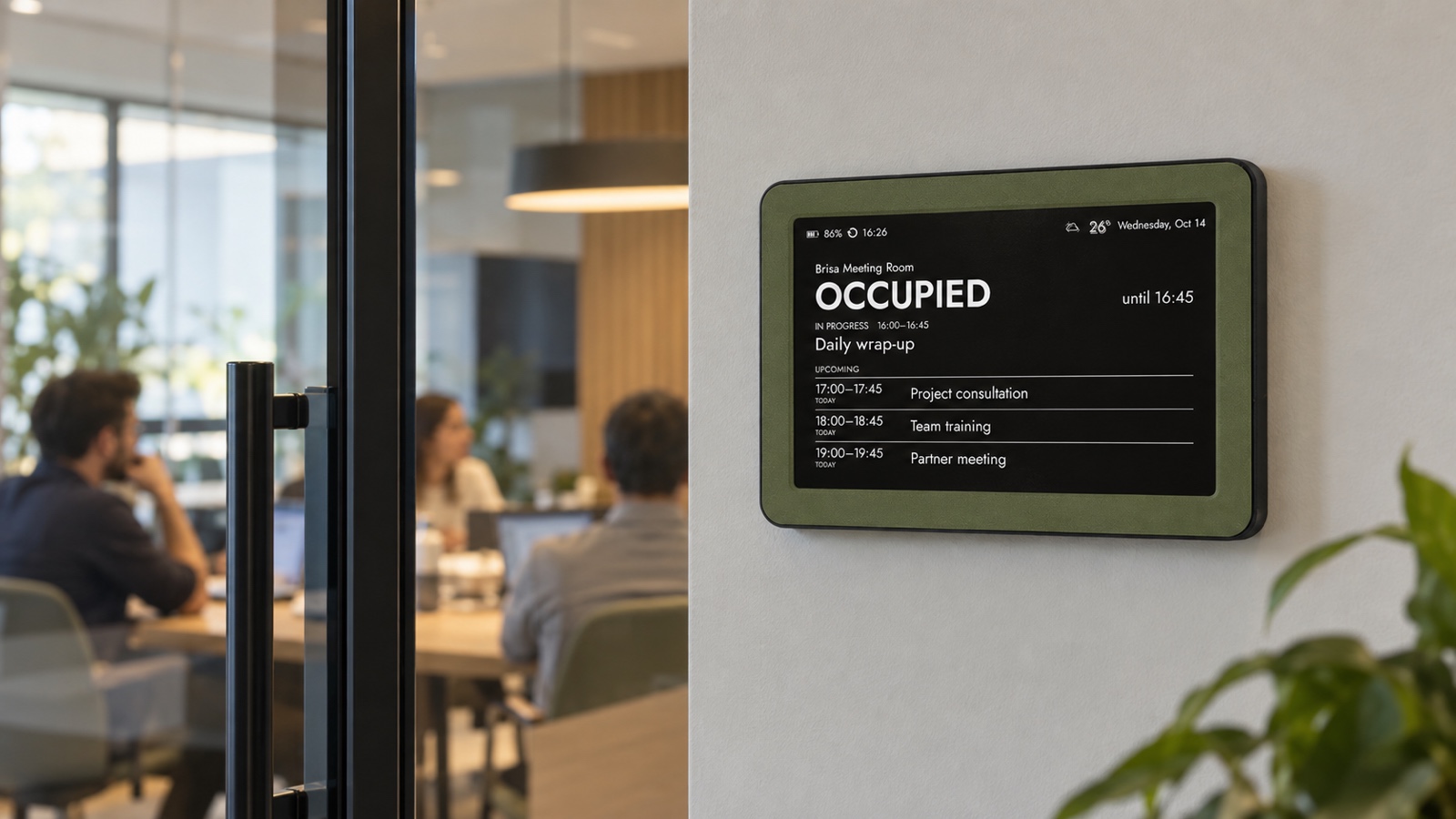
An e‑ink meeting room schedule display can answer the corridor question in one glance: is this room occupied, who or which team has it, when does the booking end, and what starts next? A Brisa customer already uses the frames in exactly this way. Instead of opening a booking app or interrupting a meeting, colleagues can read the room calendar beside the door and move on.
The useful version is deliberately simple. It does not try to become another interactive office tablet. A dedicated Google, Apple or Microsoft room calendar supplies a compatible ICS feed; Brisa periodically reads that feed and renders a calm day or agenda view on its matte 7.5-inch e‑paper screen. The calendar remains the source of truth, while the frame becomes a shared, always-visible summary.
See the Brisa meeting-room display overview →
What a door-side room display should answer
Most people standing outside a conference room do not need a miniature calendar application. They need an immediate decision. Can I enter? Should I wait? Is the next half hour free? Where is my team meeting? The screen should make those answers clear from normal standing distance, without scrolling, tapping or waking a display.
- Room name, so people know they are reading the correct schedule.
- Current state such as Available, In use or Reserved.
- Start and end time for the current booking.
- A short, safe owner or team label when that context is useful.
- The next booking and the next useful free window.
Anything beyond that needs to earn its place. Full attendee lists, meeting descriptions, dial-in links, client names and internal project codes can expose more than the corridor audience needs. A room display should reduce uncertainty, not reproduce the private event record.
Why e-paper fits the meeting-room door
A meeting-room sign spends most of its life showing static information. E‑paper suits that job because it reflects ambient light and keeps the last image visible without a constantly glowing panel. In a glass-and-steel office it reads more like a printed room card than a small television. There are no animations competing with the architecture and no bright rectangle left shining after hours.
That calmness is practical as well as aesthetic. People can glance while walking past, and the display does not invite them to touch a shared surface. The trade-off is equally important: e‑paper is not the right interface for instant interaction. Booking, extending or cancelling a room still happens in Google Calendar, Apple Calendar, Outlook or the organization’s scheduling system.
Use one room calendar as the source of truth
Create or use a calendar dedicated to the room—Room Atlas, Boardroom or Studio, for example. Staff book that resource in the calendar system they already use. The display subscribes to a read-only ICS or iCal feed from that room calendar. This one-way arrangement is easy to understand: edits happen in the calendar; the frame only reads and presents the result.
Avoid manually copying meetings into a second display-only calendar unless privacy rules require it. Duplicate calendars drift. If a booking moves or is cancelled, someone must remember to update both. A dedicated resource calendar with a limited published view is usually more reliable, provided the organization’s administrator allows the feed and approves what it exposes.
Google, Apple and Exchange: the common ICS path
Brisa does not need to log into an employee’s calendar account. It reads a compatible calendar URL. In Google Calendar, the relevant option is the Secret address in iCal format under Integrate calendar. Google warns that this URL should remain secret and that a work or school administrator can disable it. Use a room calendar rather than a personal calendar, and reset the address if it is exposed.
Google Calendar Help: copy the secret iCal address ↗
For iCloud, Apple lets the owner make an iCloud calendar public and share a read-only subscription link. “Public” is literal: anyone with the URL can view and subscribe. That can work for a deliberately limited room calendar, but it is not appropriate for a personal or confidential work calendar.
Apple Support: public iCloud calendars and subscription links ↗
For Microsoft 365 and Exchange Online, Outlook on the web can publish a calendar and provide an ICS link. The owner chooses how much detail to expose, and Microsoft notes that sharing may be unavailable or limited by organizational settings. Ask the administrator before treating publishing as available. An internal policy may require free/busy only, a service account, a gateway or no public ICS feed at all.
Microsoft Support: share or publish a calendar in Outlook on the web ↗
Design a corridor-safe calendar before connecting it
The URL is only half of the privacy question. The other half is the event content. Imagine every visitor, delivery driver and employee walking past the door. If an event title would be awkward on a printed sign in that corridor, it does not belong in the published room view.
- Prefer neutral labels such as Product team, Interview, Client call or Reserved.
- Omit attendee lists, descriptions, attachments, access codes and video-conference links.
- Avoid client names, candidate names, medical matters and sensitive project codenames.
- Expose only free/busy when the calendar platform and workplace policy require it.
- Treat every private or secret ICS URL like a password: store it only in trusted configuration and rotate or revoke it after accidental sharing.
Brisa can combine up to three compatible ICS feeds, but a room sign is usually clearer with one resource calendar. Extra calendars are justified only when they answer a real question—for example, a separate facilities blackout calendar. More feeds should not become a shortcut for publishing personal schedules at the door.
Choose a view that can be read before someone reaches the handle
The best layout depends on traffic and booking density. A simple current-and-next view works for rooms with short, frequent meetings. A compact daily agenda works when people need to see several later slots. A weekly view is rarely the first choice at a door because it shrinks the immediate answer, but it can be useful for a training room that is reserved in half-day or full-day blocks.
Test the real distance. Stand where a person naturally slows down, not directly in front of the frame. Can you identify the room, current state and end time in two seconds? If not, shorten titles, remove secondary details or choose a less dense layout. The display is successful when the decision happens before the hand reaches the door.
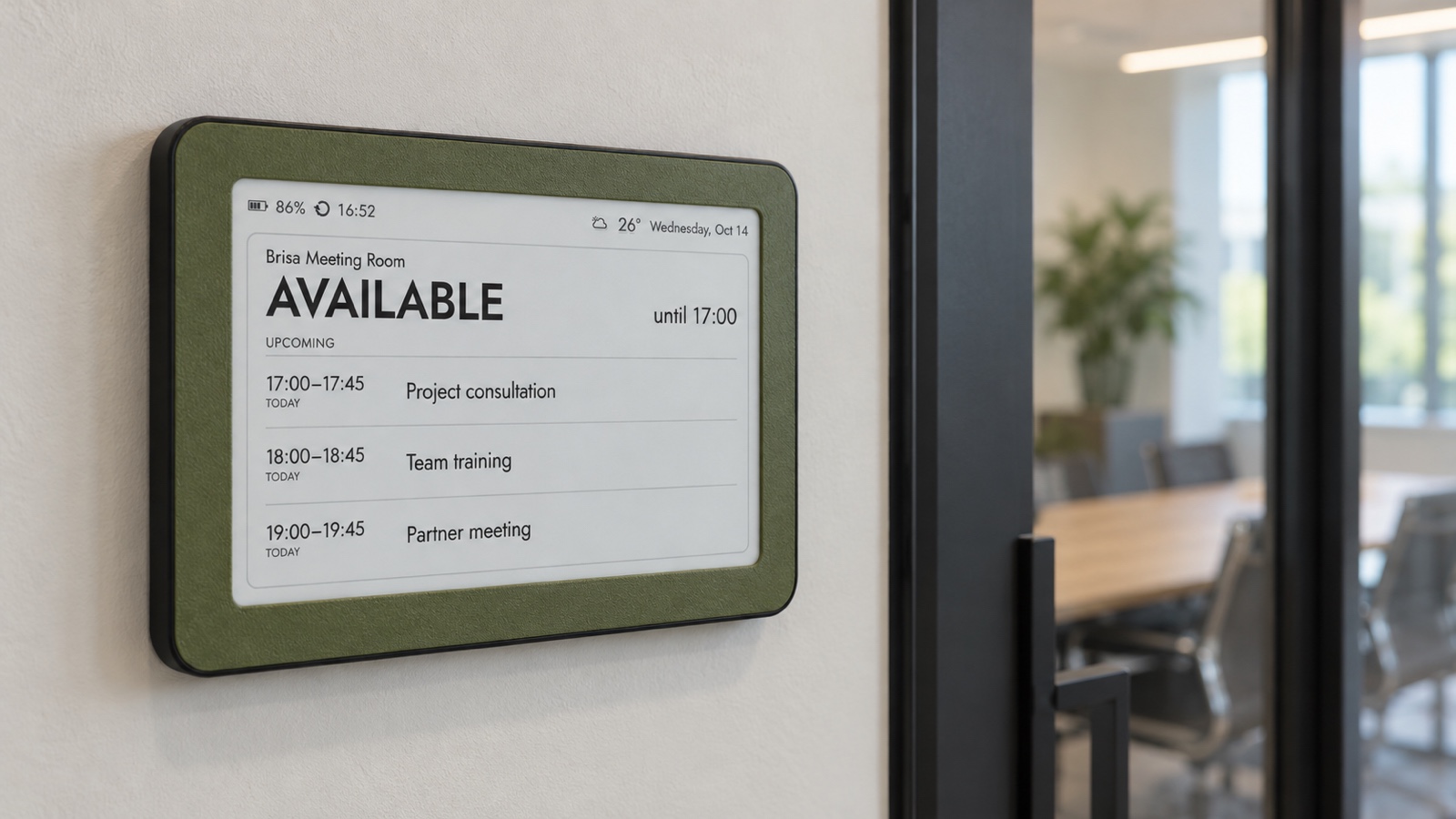
See the Brisa Daylo calendar display on Etsy →
Mount it where a glance is natural
Brisa Daylo has a magnetic back, so a steel door frame or a small powder-coated steel plate beside the door can make a clean mounting surface. Confirm the surface is actually ferromagnetic; aluminium, glass, wood and many stainless steels will not hold a magnet. Keep the frame out of the door swing, away from a handle, and high enough to read without blocking accessibility signs or room labels.
The detachable stand is useful on a reception counter, shared desk or shelf near the room. When mounted front-facing, the stand stays off: the frame should sit flat against the steel surface with no visible pedestal. In either position, check reflections and ambient light during the brightest and darkest office hours.
Set expectations for refresh speed and failures
An ICS display is a periodic summary, not an instant push terminal. Calendar providers and subscribers can cache feeds, and corporate publishing rules can add delay. Do not use the frame for a workflow where a few seconds decide access to a critical room. Agree on a small buffer around very short bookings and keep the source calendar available on phones or computers when someone needs confirmation.
Test four ordinary changes before rollout: create a meeting, move it, cancel it and add an all-day block. Observe how long each change takes to reach the screen. Then test Wi‑Fi loss and an invalid feed. Because e‑paper holds its last image, a stale schedule can still look convincing; teams need a simple rule for recognizing the last refresh time and checking the source calendar when something seems wrong.
A practical pilot checklist
- Choose one non-critical room with representative traffic.
- Confirm that the room calendar can provide an approved read-only ICS feed.
- Limit published detail to what may safely appear in the corridor.
- Use short neutral titles and realistic fictional events during setup.
- Mount the frame at the normal pause point and test it from one to three metres.
- Measure actual update delay after creating, moving and cancelling bookings.
- Document who owns the calendar, who can rotate the URL and what to do when the display looks stale.
- Collect one week of feedback before repeating the setup at more rooms.
A pilot also reveals whether the office needs a room display at all. If bookings rarely clash and everyone already checks the same calendar, a new screen may add little. If people repeatedly open doors, interrupt meetings or wander between rooms, one clear schedule at the point of uncertainty can remove a surprising amount of friction.
Connect an Apple Calendar with a carefully limited ICS feed →
Connect a shared Google Calendar to an e‑ink display →
Choose between a daily and weekly calendar view →
Choose an e‑ink calendar display by placement and reading distance →
A small sign can remove a large interruption
The value of a meeting-room display is not the amount of software on the wall. It is the interruption that never happens. Someone glances, sees that Room Atlas is occupied until 10:45, notices the next booking at 11:00 and chooses what to do without opening an app or knocking. Keep the feed limited, the labels safe and the layout readable. The frame then becomes exactly what a shared workplace display should be: a quiet answer waiting where the question occurs.
Meeting-room calendar displays: quick answers
Can Brisa work as a meeting room schedule display?
Yes. One Brisa customer already uses the frames this way. A dedicated room calendar can show the current booking, the next booking and the day’s schedule through a compatible ICS feed.
Does it work with Google Calendar, Apple Calendar and Microsoft Exchange?
It works with compatible read-only ICS or iCal feeds. Google Calendar provides a secret iCal address, iCloud can publish a read-only calendar link, and Outlook on the web can publish an ICS link when the organization allows it. Company administrators may restrict sharing.
Should the display show meeting titles and attendee names?
Only if they are safe to reveal in that corridor. A privacy-first room calendar can use neutral labels such as Product team, Client call or Reserved and omit attendee lists, notes, video links and confidential locations.
Is an e-paper room display a real-time booking system?
No. Brisa reads the calendar feed periodically and presents a passive schedule. It does not edit bookings, replace the source calendar or guarantee instant propagation of a last-second change.